Secure Folder (Samsung)
Screenshots
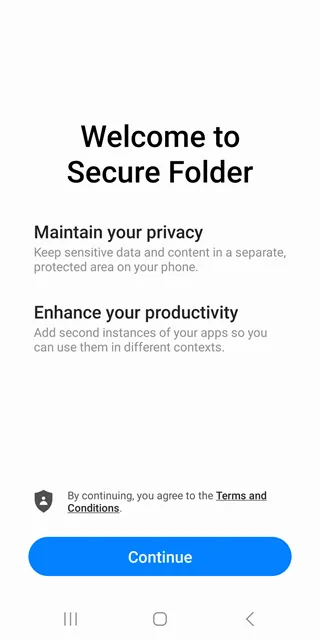
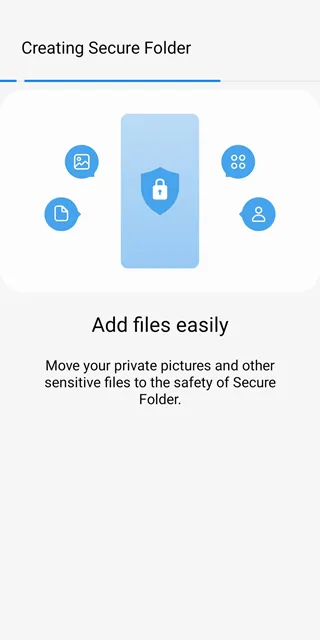
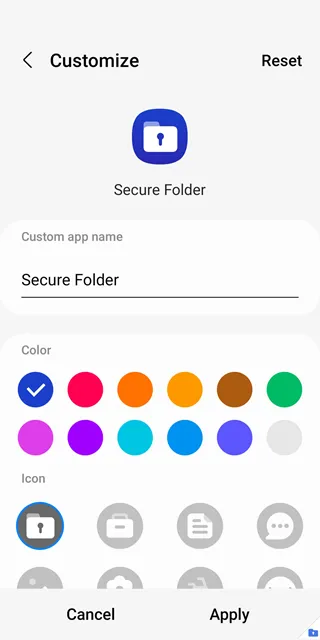
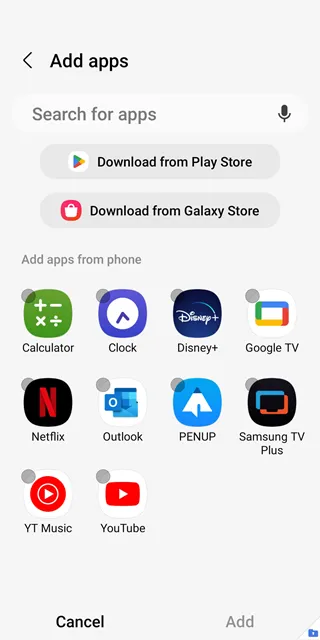
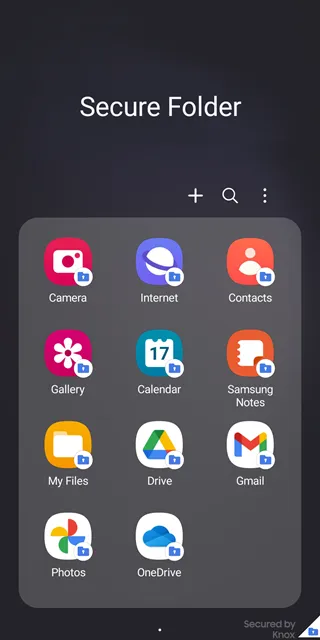
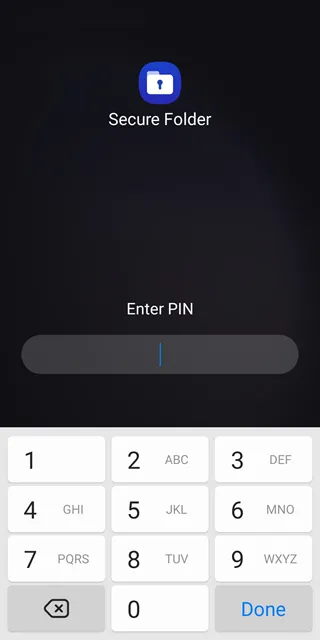
Secure Folder (Samsung) protects your private files and photos from unwanted access. This tool creates a private, encrypted space on your mobile device. Therefore, you can store sensitive data safely. Many users want to protect their personal information from prying eyes. For that reason, installing this private vault is an excellent choice.
You can keep your photos, notes, and apps hidden. Nobody can see these items without your permission. Consequently, your privacy remains completely safe. You can easily download the APK file to secure your phone now. This process takes very little time.
Afterward, you will feel much more secure. Your personal data deserves the best protection. Do not leave your private information exposed to risk. Download the APK file from our trusted platform today. Then, take control of your mobile privacy instantly.
What is Secure Folder (Samsung)?
Secure Folder (Samsung) utilizes the defense-grade Knox security platform. This system creates a secure space on your smartphone. Because of this, it shields your data from malicious attacks. The app encrypts all data moved into it. As a result, you get an extra layer of defense.
You can move files into this space easily. Furthermore, you can copy your favorite apps into this folder. This action creates an independent clone of the app. Therefore, you can use two different accounts on one device. This setup helps you separate your work life from your personal life.
Many professionals use this feature daily. It keeps business data away from family members. Your device becomes much more functional. You can manage multiple profiles without logging out constantly. This method saves you a lot of effort every single day.
Key Features of Secure Folder (Samsung)
Secure Folder (Samsung) offers many tools to protect your privacy. First, it supports multiple lock types. You can choose a PIN, pattern, or password. Additionally, you can use biometric authentication like fingerprints or iris scans. This flexibility ensures only you can unlock the content.
The app contains several unique options:
- Biometric locks protect your files quickly.
- You can hide the folder icon from the home screen.
- The app allows you to clone social media accounts.
- You can store private notes securely.
- It encrypts data using advanced security keys.
Next, you can customize the icon name and appearance. This feature disguises the vault completely. For example, you can rename it to look like a calendar. Consequently, sneaky friends will never click on it. You can also hide the icon from your main screen. Then, it only appears when you search for it.
How to Setup Secure Folder (Samsung)
Setting up Secure Folder (Samsung) takes only a few minutes. First, you must download the APK file from our website. Then, open your device settings to install it. You need a Samsung account to complete the configuration. Next, follow the on-screen instructions carefully.
The setup wizard will guide you through the initial steps. After that, choose your preferred lock method. We highly recommend using a strong password alongside your fingerprint. Finally, the private space is ready for use.
Now, you can start moving your private data into this protected area. The interface is very friendly and clean. Therefore, anyone can complete the setup without trouble. You do not need technical skills to succeed. Just follow the simple prompts on your screen.
Benefits of Creating a Private Space
Keeping your data private offers immense peace of mind. Sometimes, friends borrow your phone to view pictures. During these moments, you might feel anxious about your private photos. However, a private vault removes this stress completely. You can lock your personal gallery away safely.
Moreover, you can store confidential business documents here. Hackers cannot easily breach this protected area. Thus, your banking apps and passwords stay secure. Using a dedicated private folder protects your identity effectively.
It ensures your secrets remain your secrets. You will never worry about data leaks again. Your peace of mind is highly valuable. This simple step keeps your personal life completely hidden from external threats. Therefore, you should activate your private space immediately.
Simple Steps to Move Your Files
Moving your files into the vault is very straightforward. First, locate the file you want to hide. This item can be a photo, video, or document. Next, tap the options menu on that specific file. Then, select the option to move it into the secure zone.
The app transfers the file immediately. Alternatively, you can open the vault directly. From there, click the add files button at the bottom. This action opens your phone storage.
Finally, select multiple items to import them at once. This process saves you a lot of time. You can also take photos directly inside the vault. Those photos save automatically to the hidden gallery. This makes the entire experience seamless and efficient. You will love how fast it works.
Is Your Hidden Data Truly Protected?
Many users wonder if their files are safe from intruders. The answer is definitely yes. This protection happens because the app isolates data from the rest of the phone. Other apps cannot read the information inside this zone.
Even if your phone connects to an unsecure network, your files remain safe. Furthermore, the encryption standard is highly advanced. Unauthorized users cannot bypass the security lock easily. Therefore, you can trust this system with your most sensitive records.
Additionally, cloning your apps provides great flexibility for your daily tasks. For instance, you can run a second messaging account. This account remains totally separate from your primary one. Consequently, you do not mix your private and public chats. It keeps your communications tidy.
Conclusion
In conclusion, securing your mobile content is easier than ever. You do not need complex tools to guard your privacy. Instead, you can rely on this robust software. It provides an impenetrable wall for your personal data.
Download the APK file from our trusted platform today. Then, take control of your mobile privacy instantly. Do not leave your private information exposed to risk. Protect your videos, pictures, and notes right now.
Your privacy matters, so choose the best defense available. This tool guarantees safety and peace of mind for every user. Start protecting your personal files immediately. Enjoy a more secure mobile experience today. Your satisfaction is completely assured.